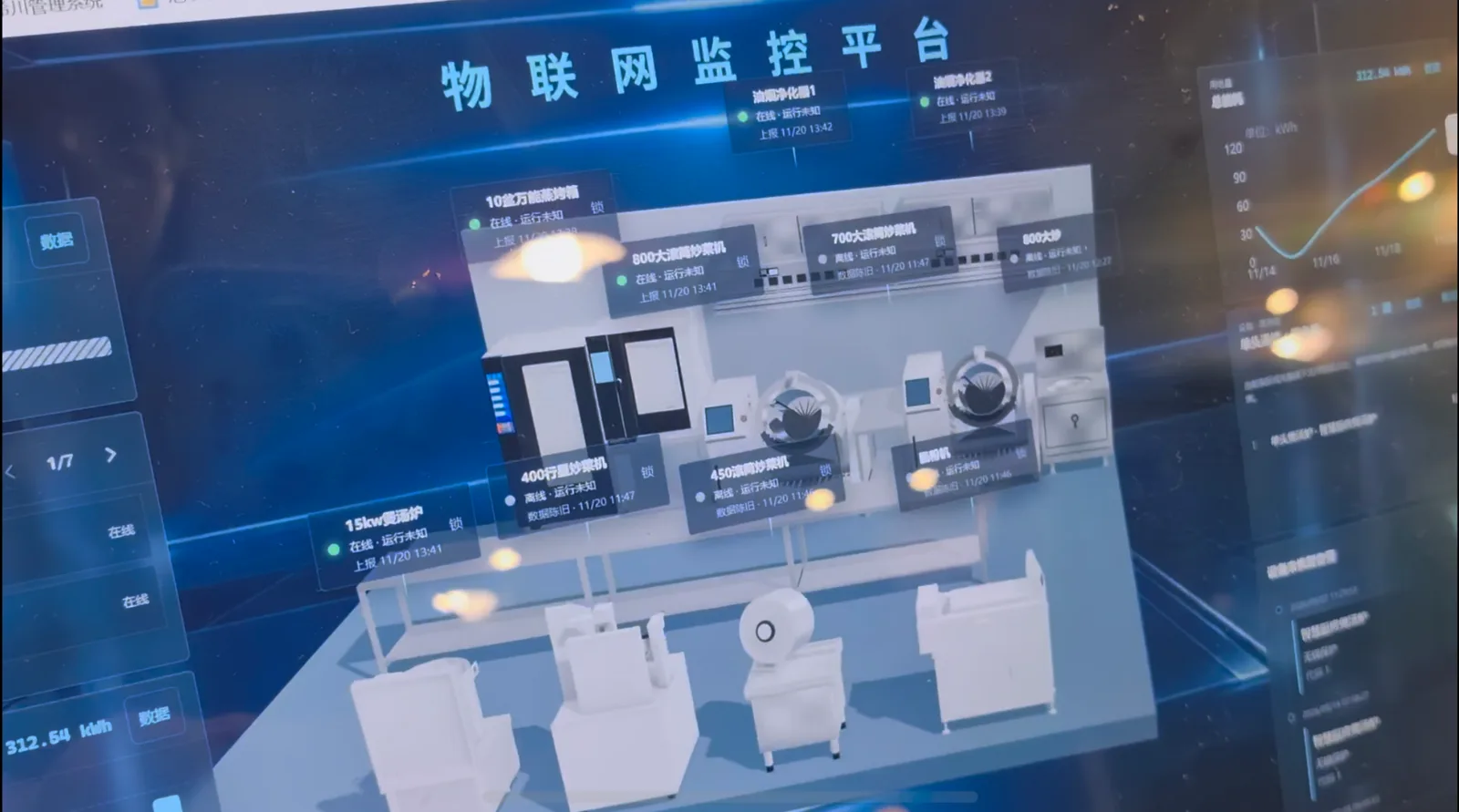
Most commercial kitchen IoT platforms begin with a list of connected machines. A visual 3D kitchen goes further: it links equipment data to the real working environment and gives suppliers a more intuitive way to configure, present and update a complete kitchen.
The same visual model can continue after installation. Instead of becoming a drawing that is stored away, it can act as the working interface for equipment status, usage, energy and maintenance information.
1. Configure equipment with drag-and-drop actions
Authorized users can add, move or remove equipment objects directly inside the 3D kitchen. A supplier may place an induction wok range, move a fryer to another work zone or remove a machine that is no longer included in the project.
This does not replace detailed CAD, MEP coordination or engineering approval. Its value is speed and clarity during equipment selection, customer discussions and later updates. People who do not use complex design software can still understand and revise the proposed kitchen configuration.
- Add or remove equipment from a proposed solution
- Adjust positions during customer discussions
- Compare alternative equipment configurations
- Show how work zones relate to one another
- Update the visual model after expansion or replacement
- Open operating data from the equipment location
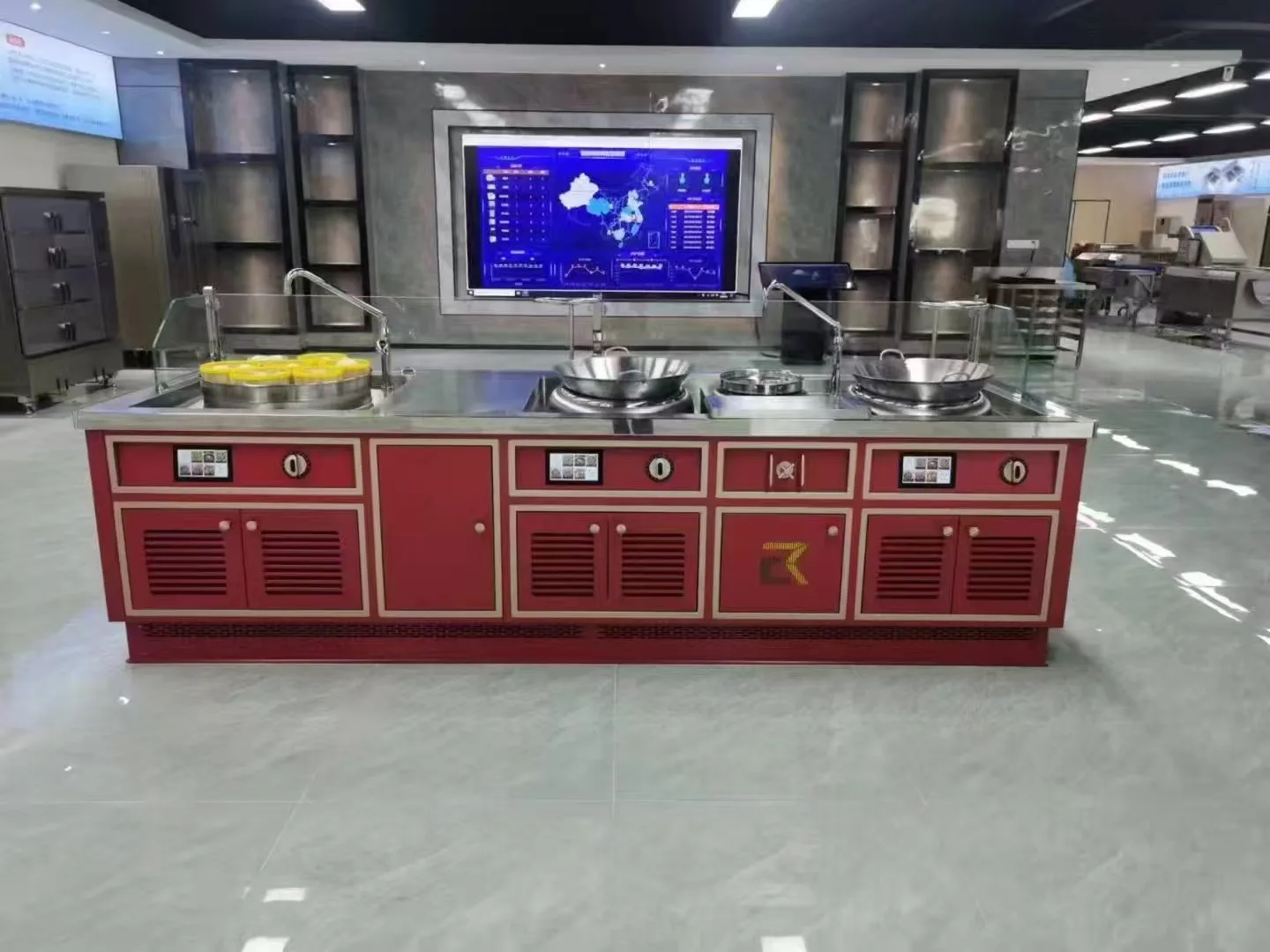
2. Continue from kitchen planning into daily operation
Traditional kitchen drawings are mainly used during design and installation. Once the project is completed, equipment records, service information and operating data often move into separate systems.
A connected 3D kitchen can support a continuous workflow:
- Configure the proposed equipment visually.
- Confirm the layout and scope with the customer.
- Install and identify the actual machines.
- Connect compatible controllers to the backoffice.
- Monitor operation through the same visual kitchen.
- Update the model when equipment is added, moved or replaced.
It can become the visual connection between equipment planning, supply, installation, operation and after-sales service.
3. Monitor the information that supports decisions
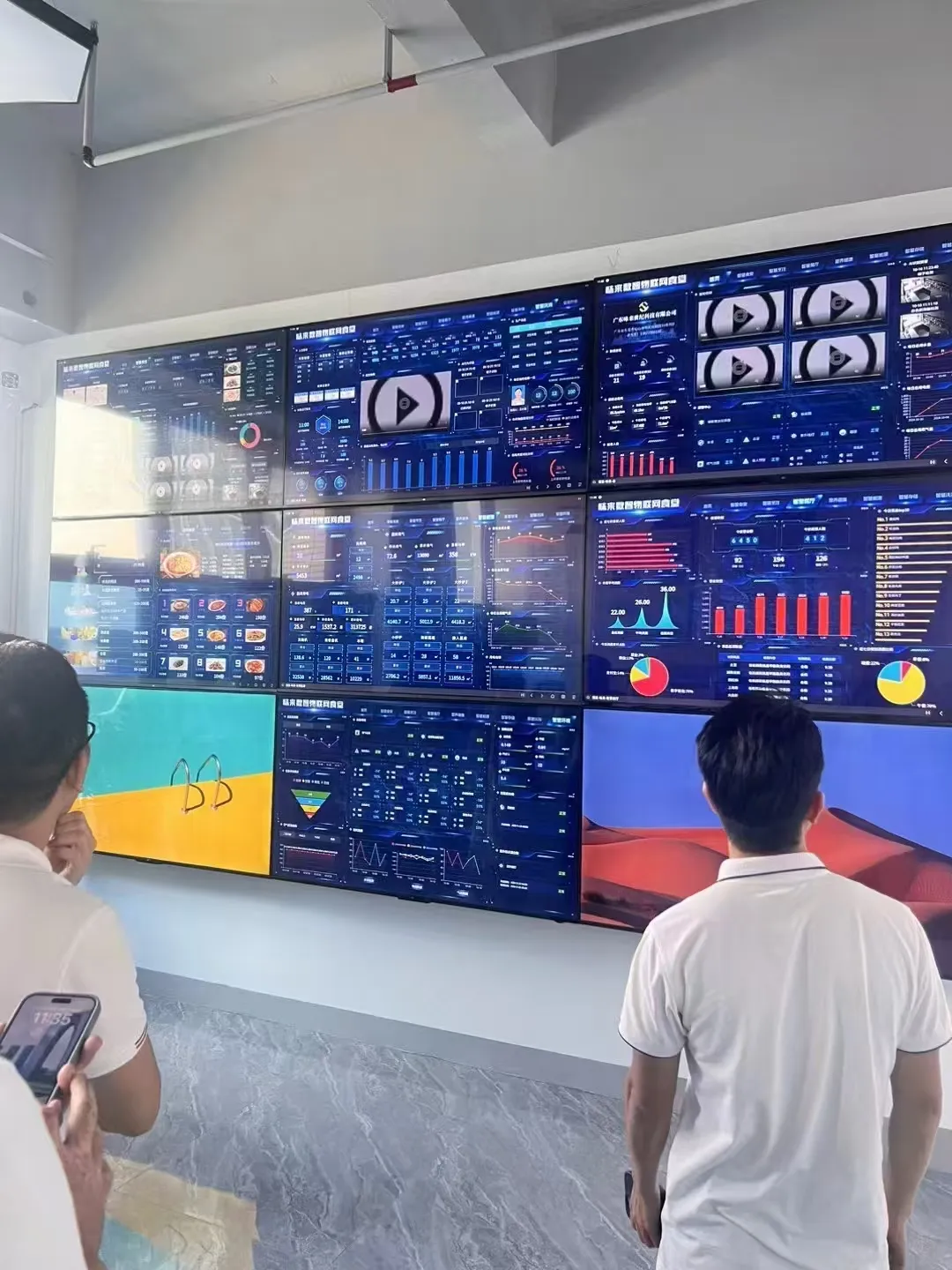
The available information depends on the equipment, sensors, controller and agreed communication protocol. A practical commercial kitchen IoT backoffice may include:
- Online, idle and operating status
- Usage frequency and operating hours
- Selected cooking-process information
- Energy consumption and load patterns
- Alarm and fault information
- Maintenance and service records
Usage records can show when equipment is heavily used or rarely used. Energy data can reveal peak periods or machines that remain active unnecessarily. Alarm history can give a service team a useful starting point before visiting the site.
The platform does not make every decision automatically. Its purpose is to give managers clearer evidence and make the affected equipment easier to locate.
4. Different equipment needs different data
A professional kitchen is not made of identical machines. An induction griddle or fryer may require temperature information. A noodle cooker may focus on power, time, menu programs and lifting cycles. A dishwasher, refrigeration system or ventilation unit needs another set of operating data.
For this reason, one backoffice should not mean one rigid protocol for every product. The platform needs a common management layer while preserving the functions that matter for each equipment category.
Communication interfaces, equipment identification, data definitions and offline operating requirements should therefore be discussed early in the project—not added as an afterthought.
5. Why the 3D view matters to suppliers
For a complete-kitchen supplier, the commercial value is broader than remote monitoring. The visual interface can help the team communicate a proposed package, organize equipment records and remain involved after delivery.
- Faster visual explanation during customer discussions
- A clearer link between supplied machines and kitchen zones
- Easier updates when the equipment list changes
- One reference point for operators and service teams
- A foundation for longer-term maintenance support
- A more structured connected-equipment offering
This is especially relevant for hotel kitchens, central kitchens, institutional catering, restaurant groups and equipment distributors developing complete solutions rather than selling isolated machines.
6. Define the project before connecting equipment
Not every kitchen needs every function. Before configuring an IoT project, define which decisions the platform is expected to support.
- Which machines and kitchen systems need to be connected?
- What information is useful to the operator, owner and service team?
- Is the scope monitoring only, or does it include authorized control?
- Which functions must remain available locally when the network is offline?
- Who can access operating and energy data?
- Is the project for one kitchen or multiple locations?
- How will future equipment be added and identified?
A clear brief prevents an expensive platform from becoming a dashboard that nobody uses.
7. UCOOK’s connected-kitchen direction
UCOOK develops commercial induction equipment and customized cooking solutions for equipment distributors, kitchen contractors and foodservice projects. Our connected-kitchen direction starts with a practical principle: the system should make the kitchen easier to understand and support, not add another layer of unnecessary complexity.
Depending on the project, this may include 3D equipment configuration, operating status, usage records, selected process data, energy visibility, alarm information and future integration with other compatible kitchen systems.
Frequently asked questions
What can a commercial kitchen IoT platform monitor?
Depending on the connected controller and project scope, a platform can display equipment status, usage frequency, selected cooking-process data, energy consumption, alarms, operating hours and maintenance information.
Why use a 3D kitchen instead of an equipment list?
A 3D view connects each equipment record with its physical position. Managers and service teams can locate a machine visually instead of relying only on equipment codes or long tables.
Can suppliers add or remove equipment in the 3D kitchen?
In a configurable system, authorized users can drag, add, move or remove equipment objects so the visual kitchen can follow project revisions and later equipment changes.
Can one backoffice include different types of kitchen equipment?
Yes, if the interfaces and data model are planned correctly. Cooking equipment, dishwashers, ventilation and other systems have different functions, so the common platform must preserve equipment-specific data rather than forcing every machine into one identical control model.
The useful question is not simply whether a machine can connect to the internet. It is what information will help the supplier and operator plan, run and support the kitchen more clearly.